Two Dots: Brain Puzzle Games
- 4.3
- Rating
- 50.00M
- Installs
- Free
- Price

 Analysis by App-foxy
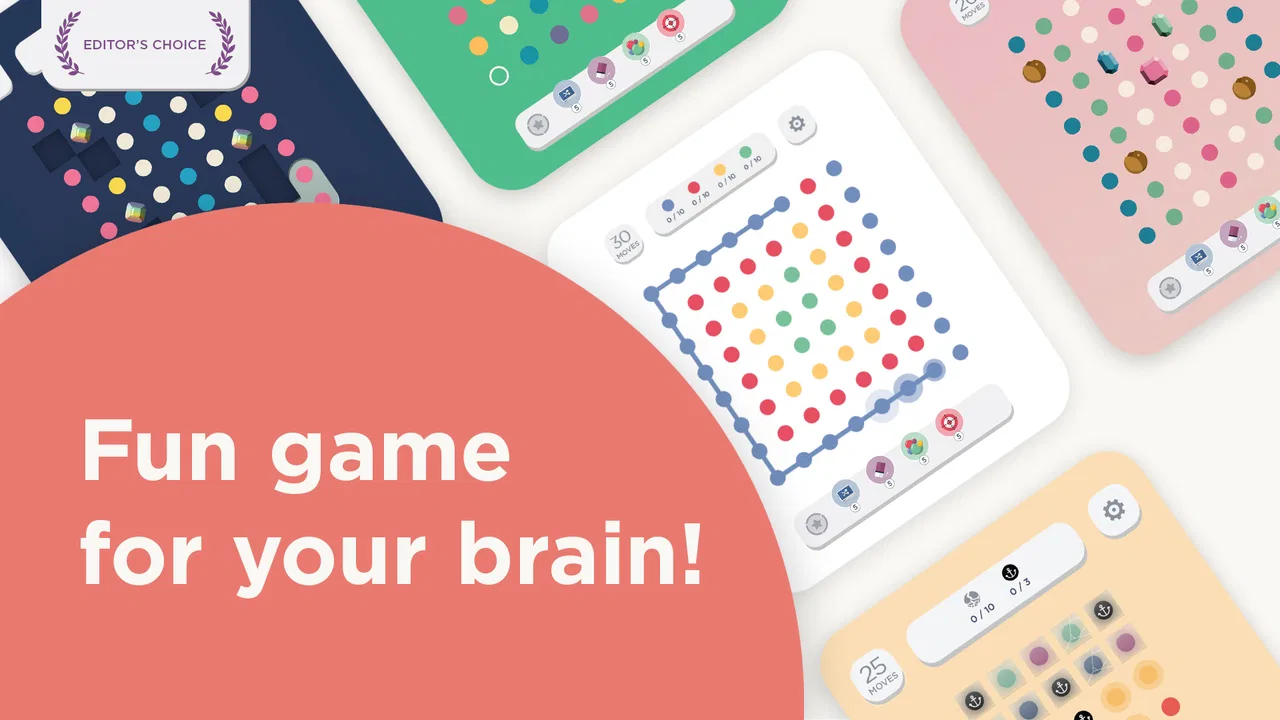
I picked up Two Dots expecting a simple way to fill a few spare minutes, but it quickly showed more personality than a basic matching game. Its board is easy to understand: connect dots of the same color, clear objectives, and work through increasingly demanding puzzles. The presentation feels calm rather than frantic, which makes it suitable for a short break, a quiet evening, or a moment when I want something interactive without learning a complicated rule set.
This is a free board game from PlayDots, available for Everyone and listed for devices running Android 7.0 or later. It has been around since November 12, 2014, and its current version is 26.08.00. Those details matter because this is not a brand-new experiment that still feels unfinished; it is an established mobile puzzle with a large audience and a long-running identity.
How Two Dots feels in everyday use
The first thing I noticed was how quickly a round begins. There is very little mental preparation between opening the game and making the first move. That makes it a natural choice for a commute, a waiting room, or the few minutes before bed. I can play with sound or visual attention in the background, then stop without feeling that I have abandoned a long session.
You May Also Like

 Pandora - Music & Podcasts
Pandora’s Music Is Easy to Start, but Harder to Recover
Pandora’s strength is its low-effort path from a seed to a station. Its weak spot is how much confidence it asks you to place in connection, setup, and quiet recovery.

 AccuWeather: Weather Radar
AccuWeather Review: A Quick, Clear Forecast for Everyday Decisions
For everyday plans, the best forecast is the one you can understand quickly. AccuWeather makes rain timing, radar, and local conditions easy to act on, with a few trade-offs.

 Hill Climb Racing
Why Hill Climb Racing Still Turns Crashes Into One More Run
A tiny car, a bumpy hill and one more upgrade: Hill Climb Racing keeps resurfacing because its simple chaos makes every near-miss feel personal.

 AliExpress - Shopping App
AliExpress Makes Global Shopping Feel Personal, but Shoppers Bear the Risk
AliExpress turns a global marketplace into a pocket-sized discovery engine. Its reach is useful, its shopping loop compelling, and its trade-offs easy to miss.

 Lords Mobile: Kingdom Wars
Lords Mobile Is a Kingdom-Building Routine, Not a Quick Match
A case-by-case verdict on the building, battles, device demands, and social commitments that make Lords Mobile rewarding for some players and exhausting for others.

 PDF Scanner app - TapScanner
TapScanner Makes Paperwork Easier to Capture, Check, and Share
TapScanner makes scanning with a phone feel less like a rescue operation and more like a dependable step in getting work done. Its capture tools are useful, though not flawless.
More From Our News Desk
View All News


The basic action is approachable, but the best moves are not always obvious. A connection can be useful because it removes a color, creates space, or sets up a better turn later. I found myself shifting from simply clearing whatever was available to looking at the whole board before touching it. That change is where the game becomes more interesting than a disposable time-killer.
The relaxed tone is one of its strongest qualities. Many mobile puzzle games push constant urgency, bright rewards, or rapid reactions. This one gives me more room to consider a move. That does not mean every board is easy. It means the pressure comes mainly from the puzzle itself rather than from a timer demanding that I play at maximum speed.
The Scavenger Hunt mode adds another reason to return. I like it as a change of rhythm because it gives the experience a different goal from simply moving through the regular puzzle path. When I have played the standard format for a while, switching modes helps prevent the board from feeling too repetitive.
Speed expectations: quick to start, slower to master
In normal use, I would describe the game as quick in the way that matters most for a casual puzzle: it gets me into play without ceremony. A short session does not require a large time commitment, and the touch interaction feels suited to phones rather than adapted awkwardly from a desktop design.
The pace of decision-making is more important than raw launch speed here. Early boards let me understand the rules and build confidence, while later situations ask for more planning. I often pause before connecting a group because the most attractive move may not be the most useful one. That makes the game feel thoughtful without turning it into a slow strategy title.
Players looking for a fast arcade challenge should set their expectations differently. This is not about reflexes, rapid tapping, or competing against an aggressive clock. Its appeal comes from observing patterns and choosing a route through the board. If you enjoy match-three games but want a calmer form of decision-making, the tempo is a good fit.
One practical tip helped me immediately: before making the first connection, I scan for unusually large groups and for colors that are trapped near the edges. Clearing a large group can be tempting, but preserving a useful position for the next move is often more valuable. That small habit makes the game feel less random and gives each board a clearer shape.
What happens during longer or heavier sessions
Short play is where the design feels most natural, but longer sessions reveal the usual trade-off of a level-based puzzle. Once I have played several boards in a row, the calm presentation can become repetitive, especially if I am not in the mood to think carefully. The game is better at offering a dependable routine than at delivering a dramatic sense of progression every few minutes.
Heavy use also changes how I judge the experience. In a quick break, a failed attempt is easy to shrug off. During a long session, repeated difficult boards can make progress feel slower, and any optional purchase pressure becomes more noticeable. The free entry point is helpful, but players who want unlimited freedom or who dislike spending to smooth out frustration should approach with clear limits.
My preferred workflow is to treat it as a collection of small sessions rather than one endless run. I play a few boards, stop after a particularly satisfying solution, and return later. That approach keeps the puzzles fresh and reduces the temptation to chase progress after my attention has already dropped.
The game is also useful in situations where concentration comes and goes. For example, I can play while waiting for a friend at a café, complete one board, put the phone away when conversation starts, and return later. It does not demand the same uninterrupted commitment as a narrative game. That flexibility is a real strength for a phone title.
Reliability and recovering from interruptions
Two Dots feels like the kind of game designed for interrupted phone use. I can begin a small puzzle without planning a full gaming session, and that makes it easier to fit around ordinary tasks. If I need to stop suddenly, the sensible approach is to leave the game at a natural point rather than making a move in a hurry.
I also recommend avoiding careless taps when returning from another app. Puzzle boards reward looking first, and an accidental connection can change the position before I have remembered what I was planning. This is less a flaw in the rules than a reminder that touch games are vulnerable to rushed handling.
From a reliability perspective, the long history of the title and its current version suggest an actively maintained product, but I would not confuse maturity with perfection. Any phone game can be affected by the device, operating system, available storage, or interruptions from other apps. My practical advice is to keep the operating system within the supported range and avoid judging the game from a single unusual session.
Recovery is also about preserving patience. When a board does not work out, I find it more useful to restart my thinking than to repeat the same pattern immediately. Look for a different opening, especially around colors that limit movement. The game rewards changing the plan more than stubbornly replaying the same first move.
Device constraints and resource expectations
The minimum operating system is Android 7.0, so the game is aimed at a broad range of Android phones rather than only recent models. That is useful for people who keep an older handset, although the age and condition of the device still matter. A phone with limited free space, an overloaded background workload, or a tired battery may provide a less comfortable experience than a newer device.
I would not choose this game for someone whose main concern is the absolute lowest possible resource use. The board itself is visually simple, but the complete app experience can still involve more than the puzzle grid. On an older phone, I would close unnecessary apps first, keep the system updated within its supported limits, and avoid beginning a long session when the battery is already low.
Screen size also affects comfort. On a compact display, individual dots and connections can feel more crowded, particularly when the board becomes visually busy. A larger phone makes it easier to trace a path accurately. This is worth considering for players with less precise touch control or anyone who prefers relaxed, error-free play.
The Everyone rating makes the game broadly approachable, but age suitability is not the same as personal preference. Younger players may enjoy the simple interaction, while adults may appreciate it as a quiet puzzle break. People who want a competitive multiplayer board game, a deep story, or a fully offline tabletop simulation should look elsewhere because this experience is centered on its own compact puzzle loop.
Free access, optional spending, and the real trade-off
The game is free to download, which makes trying it straightforward. Its in-app purchases range from $0.99 to $119.99 per item, so I would advise deciding in advance whether I am willing to spend anything. A free game can remain enjoyable without purchases, but optional spending may become more relevant when progress slows or when I want to reduce friction.
My rule is simple: I only consider paying when the purchase supports enjoyment rather than rescuing a frustrating session. If I am tired or impatient, it is better to stop and return later than to spend impulsively. This is especially important for players who prefer a fixed-price game, because the purchase range means the financial model deserves attention before committing to long-term play.
Compared with a traditional match-three game, Two Dots feels more deliberate and less dependent on rapid chains. Compared with a classic board game on a phone, it offers shorter rounds and less need to coordinate with another person. Compared with a pure logic puzzle, it is more colorful and immediately accessible, but it may not provide the same feeling of a single carefully constructed problem.
That comparison helped me place it correctly. I would recommend it to someone who wants a gentle puzzle with enough planning to stay interesting. I would skip it for a player seeking versus competition, a strong story campaign, or a completely predictable progression with no optional spending layer.
Small techniques that improve the experience
My most useful technique is to inspect the board from the edges inward. Edge groups can be harder to use later because they have fewer directions available, so I try not to ignore them while chasing an attractive central connection. This does not guarantee success, but it makes the board easier to read and reduces wasted turns.
I also avoid assuming that the largest visible group is automatically the best move. A smaller connection may open a route or preserve a better arrangement for the following turn. The game becomes more rewarding when I think one move beyond the immediate clearance.
Another practical habit is to stop after a failed attempt and identify why it failed. Did I remove a color that was needed to open space? Did I spend a move without improving the board? Did I focus too much on one corner? Treating each attempt as information makes the difficulty feel fairer and turns repetition into learning instead of simple frustration.
Scavenger Hunt mode is especially useful when the regular path starts to feel predictable. I use it as a reset rather than forcing myself through boards when my attention is fading. That keeps the game from becoming a routine of automatic taps and gives the broader package more variety.
Who should install it?
I think this is a strong choice for casual players who like colorful matching puzzles but want a slower, more considered pace. It works well for short breaks, for people who prefer solo play, and for anyone who enjoys gradually improving at a familiar rule set. The large audience—over 50 million installs, with an average rating of 4.3 from around 1.2 million ratings—also reflects how widely the format has connected with mobile players.
I would be more cautious recommending it to someone who dislikes lives, progression friction, or optional purchases in free games. It is also not the best match for players who need every session to feel different, because the central action remains focused on connecting colored dots. The calm style may feel soothing to one person and repetitive to another.
For an everyday example, I can imagine opening it during a ten-minute wait, playing one or two boards, and closing it without losing the point of the session. On a weekend, I might spend longer experimenting with routes and then switch to Scavenger Hunt mode when I want a change. That range—from tiny interruptions to a more focused puzzle session—is where the game earns its place on my phone.
My performance verdict
Two Dots is at its best when treated as a calm, interruption-friendly puzzle rather than an all-day competitive game. It starts quickly in the situations where I use it, gives the touch controls an understandable purpose, and offers enough planning to avoid feeling completely automatic. The long-running release history and broad device support make it approachable, while the current version shows that the game remains part of an active product line.
The limitations are equally clear. Longer sessions can expose repetition, difficult boards may test patience, and the in-app purchase range means free access does not remove every financial consideration. Older or crowded devices may also be less comfortable, particularly on a small screen. These are not reasons to reject it outright, but they should shape how I use it.
My final recommendation is positive for players who want a polished-feeling board puzzle with a peaceful rhythm and flexible session length. I would install it for thoughtful breaks, use the edge-first and one-move-ahead techniques to improve my play, and keep spending firmly optional. If your ideal mobile game is a quiet puzzle that asks for attention without demanding your entire evening, this is an easy one to try.
FAQs for Two Dots: Brain Puzzle Games
01What is the main objective of Two Dots?
Two Dots is a puzzle game where the primary objective is to connect dots of the same color in a grid. By linking these dots, players aim to complete specific goals set for each level, such as clearing a certain number of dots or achieving a target score, all within a limited number of moves.
02Is Two Dots free to play?
Yes, Two Dots is free to download and play. However, it offers in-app purchases that can enhance gameplay, such as extra lives, power-ups, and other premium features. While these purchases can make the game easier, they are entirely optional, and players can progress without spending money.
03How does the game handle difficulty progression?
Two Dots gradually increases in difficulty as players advance through levels. Early stages are relatively simple, focusing on teaching the game mechanics. As players progress, levels become more challenging with obstacles, limited moves, and complex objectives, requiring strategic planning and problem-solving skills.
04What are the key features of Two Dots?
Two Dots offers a minimalist design with soothing music, making it visually and audibly appealing. Key features include hundreds of levels with unique challenges, daily quests, and seasonal events. It also includes a feature to connect with friends, allowing for a social gaming experience as you compare scores and achievements.
05Does Two Dots require an internet connection to play?
Two Dots can be played offline, which is perfect for users who might not always have access to the internet. However, certain features, such as syncing progress across devices and participating in special events or leaderboards, do require an internet connection.
Pros
- Engaging puzzles with increasing complexity.
- Beautiful
- minimalist art style.
- Regular updates with new levels.
- Offline play available for convenience.
- Calming music enhances the experience.
Cons
- Lives system limits continuous play.
- In-app purchases can be pricey.
- Ads can interrupt gameplay.
- Some levels feel repetitive.
- No multiplayer or social features.

Two Dots: Brain Puzzle Games
Gallery